General
Now Execute the Sebi RA’s trades Directly to your Pocketful Account from Kuberhunt.
Here is a scene most of us know too well.
You find a stock advisory you like. Good setup, sensible stop loss, an analyst whose record you've checked. Then the admin begins. Open the broker app. Search the stock. Scroll past three similar tickers. Type in a price you half-remember. By the time you're done, the stock has moved and the entry is a little out of date.
None of that is research. It's friction, and it exists because advisory and execution are two different jobs that have always lived in different places.
On KuberHunt, you'll find the advisory side. When you want to act on one, you tap Execute and you're taken to Pocketful, a stockbroker, where the trade is placed. Here's who does what, and how to use the button without rushing.
Two jobs, two platforms
Subscribe - Select the trade - Click on Buy - Choose the qty - Place order
KuberHunt is the advisory platform. It's where investors can find advisories from independent SEBI-registered Research Analysts (RAs) and Investment Advisers (IAs). KuberHunt is a technology platform, not an RA or IA. The experts publish under their own SEBI registration, and Dia AI, the assistant built into KuberHunt, helps explain their reasoning.
Pocketful is the execution platform and broker. It's a SEBI-registered stockbroker. The order, its execution and its settlement happen there, not on KuberHunt.
KuberHunt | Pocketful | |
Role | Advisory platform | Execution platform and broker |
What you do there | Find, read and verify advisories | Place the order and trade |
Who creates the advisory | Independent SEBI-registered RAs and IAs | Not applicable |
Who executes the trade | Not applicable | Pocketful |
Think of a good recipe and a good kitchen. One tells you what to make and why. The other is where you cook.
What an advisory gives you
A stock name alone tells you almost nothing. Each advisory on KuberHunt comes with its working parts: the entry, the stop loss (where the analyst's view is considered wrong), the target, the potential upside, and the analyst's registration details and past calls. Read the first three together, because together they show how much you could lose against how much you could gain.
If the numbers raise questions, ask Dia AI. It answers from the analyst's own data, covering the technical setup, related news and the reasoning behind the call. It explains. It doesn't predict prices or make the decision for you.
The Execute button, in plain words
You tap Execute on the advisory.
KuberHunt redirects you to Pocketful.
You place the trade there.
That's the whole flow. KuberHunt doesn't place the order, hold your money or trade on your behalf. The redirect just saves you the trip of opening a broker app and hunting for the stock. To place an order on Pocketful, you'll need a Pocketful account.
A sample advisory, from screen to order
The stock, analyst and numbers below are made up for illustration. This is not a real recommendation.
On KuberHunt: the advisory side
Stock | Sample Industries Ltd (illustrative) |
Action | Buy |
Entry | ₹500 |
Stop loss | ₹480 |
Target | ₹550 |
Potential upside | 10% |
Published by | An independent SEBI-registered Research Analyst |
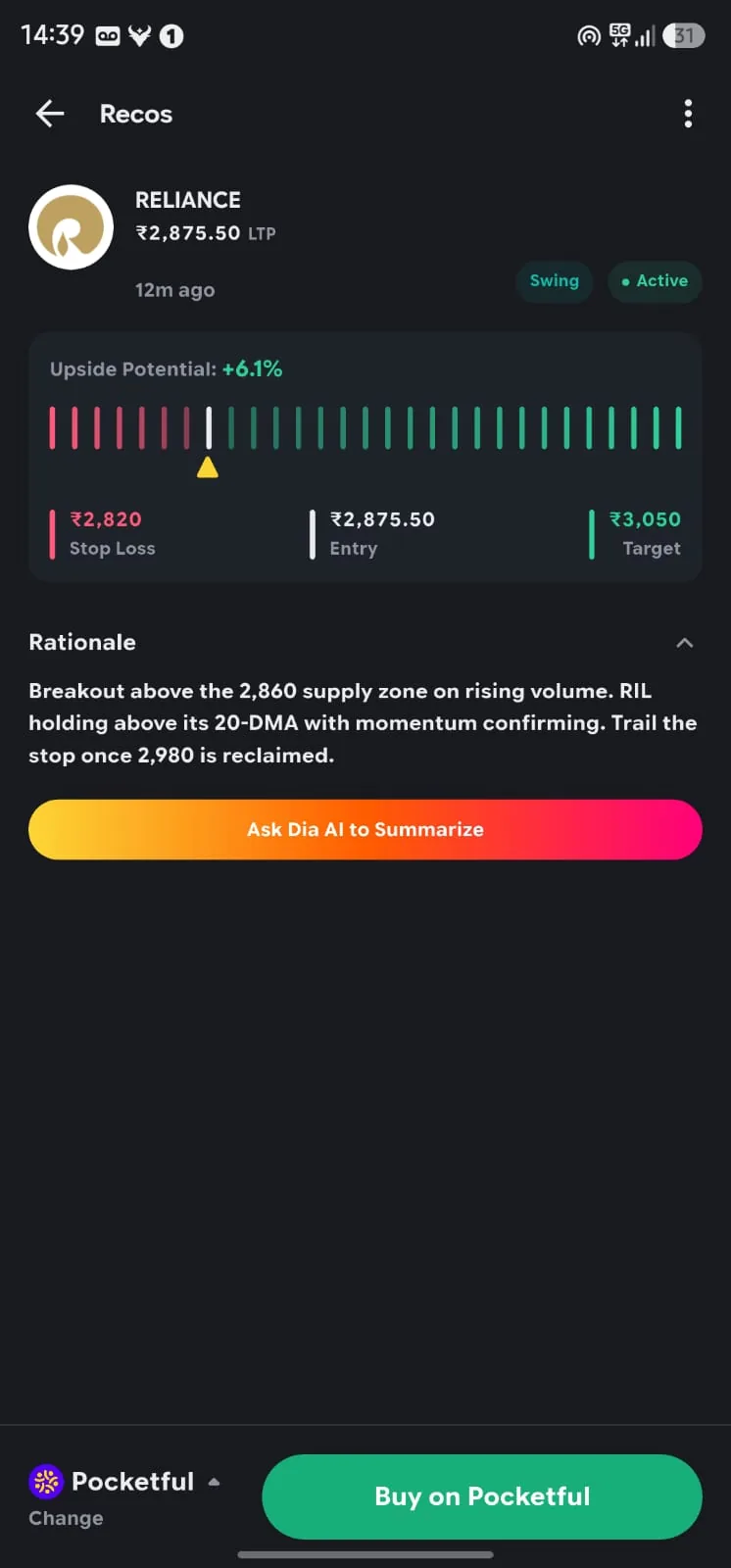
Step 1: Read the shape of the trade. Risk per share is ₹20 (500 minus 480). Potential reward is ₹50 (550 minus 500). That's 2.5 times the risk. Not sure why the analyst picked ₹480? Ask Dia AI.
Step 2: Check today's price. Say the stock is at ₹503. That's close to the entry, so the advisory still describes the trade you'd be taking.
Step 3: Tap Execute. KuberHunt's job ends here. You're redirected to Pocketful.
On Pocketful: the execution side
Step 4: Place the order. The order, its execution and its settlement all happen on Pocketful. Before you confirm, check the stock, quantity, price and order type.
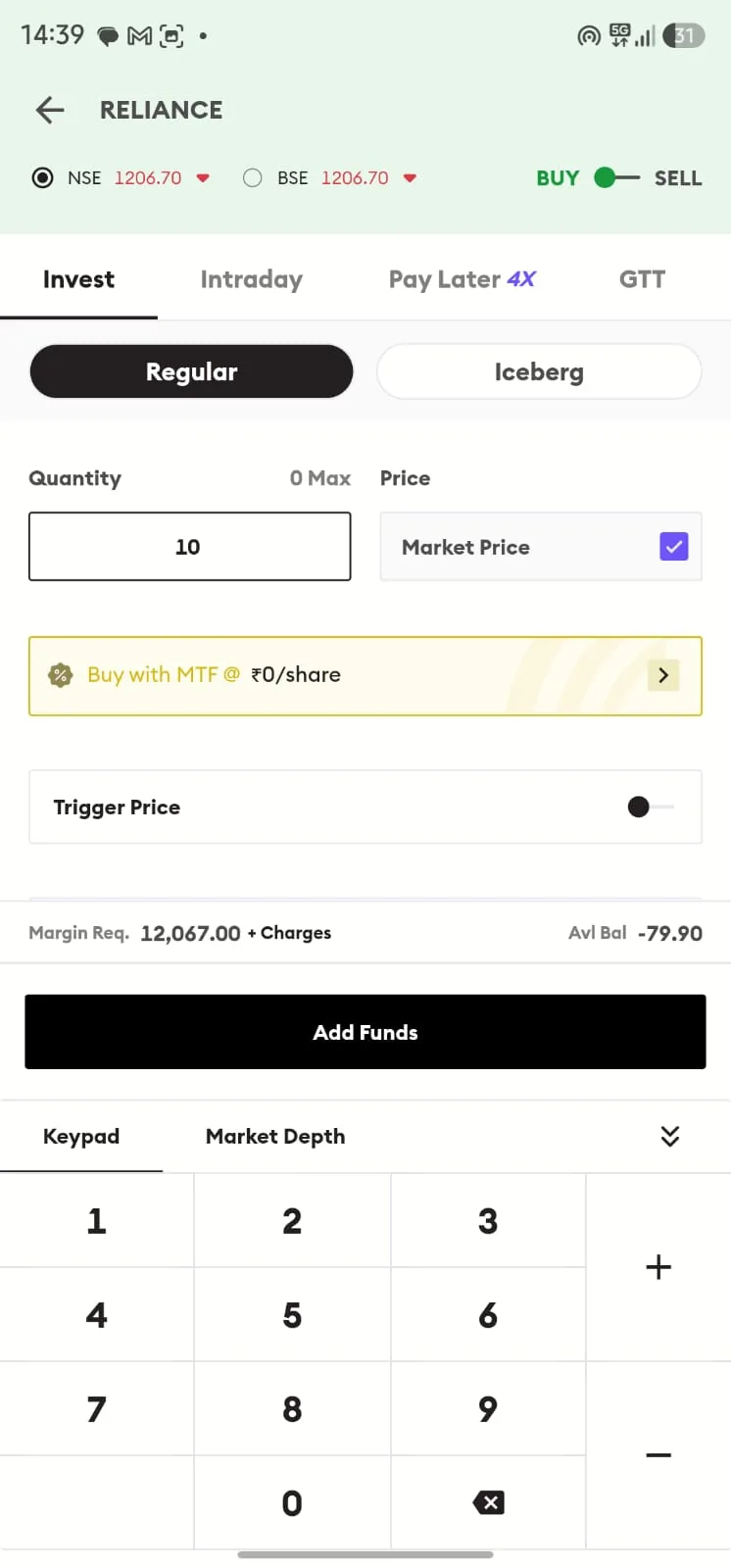
Now suppose the stock has jumped to ₹525 by step 2. Your risk to the stop loss is now ₹45 and your reward to the target only ₹25. Same advisory, very different trade. The right move might be to wait, not to chase. A faster route to the order screen removes friction. It doesn't replace judgement.
Getting to know Pocketful
Since the Execute button leads there, here's who you're dealing with, as described by Pocketful itself. Their terms apply, not ours.
Who they are. An online stockbroking platform backed by Pace Group. Pocketful lists zero account opening charges, zero AMC and transparent brokerage.
What you can trade and invest in. Equities, futures and options, and commodities, plus mutual funds, ETFs, IPOs and bonds. It also lists margin trading, algo-based tools, fixed deposits and insurance.
Tools for the trade. Advanced charts, option chain, market depth, basket orders, GTT orders and a single-screen setup. Scalper Mode puts charts, strikes and orders on one screen.
Tools for research. Pocketful GPT, an assistant for questions about your stocks or portfolio. Curated Pockets, which group stocks by theme. Superstar Portfolio, which tracks publicly disclosed holdings. Brands You Love and Price Alerts.
Also listed. A free Algo API for building your own strategies, Opinion Led Investing, IPO Plus for applying with multiple family accounts, a 5.99% p.a. MTF rate (subject to conditions) and Extra Payout for eligible users.
Rates, charges and features change, so check Pocketful's current terms before you open an account.
Five habits before you tap Execute
This is general education, not advice on any particular stock.
Verify the registration on SEBI's own website.
Read the whole advisory, not just the headline or target.
Compare today's price with the entry. If it has run well past, reassess.
Decide your position size and your exit first.
Check the order screen on Pocketful. Make sure the stock, quantity, price and order type are what you intend.
What the Execute button doesn't do
It doesn't guarantee a profit. Every investment carries market risk, and a registered analyst can still be wrong.
It doesn't make KuberHunt a broker or an adviser. The advice comes from the SEBI-registered analysts, and the trading happens with the broker.
It doesn't decide for you. Whether an advisory suits your goals and risk appetite is your call.
Frequently asked questions
What does the Execute button do?
When you tap Execute on an advisory from a SEBI-registered analyst, KuberHunt redirects you to Pocketful, where you can place the trade.
What is KuberHunt's role and what is Pocketful's?
KuberHunt is the advisory platform, where SEBI-registered analysts publish advisories. Pocketful is the execution platform and SEBI-registered broker, where the order is placed, executed and settled.
Does KuberHunt place the trade for me?
No. KuberHunt does not execute trades. The order is placed on Pocketful.
Do I need a Pocketful account?
You'll need one to place the trade there. You can read advisories and use Dia AI on KuberHunt without one.
Can I lose money on an advisory?
Yes. Stop loss and target levels are the analyst's view, not a promise. Investments in securities are subject to market risk.
At a glance
Step | Where it happens | Who is responsible |
Find and verify an advisory | KuberHunt, the advisory platform | You |
Publish the advisory | KuberHunt, by the SEBI-registered analyst | The analyst, under their own SEBI registration |
Understand the reasoning | Dia AI on KuberHunt | You interpret |
Tap Execute | KuberHunt, which redirects you to the broker | You |
Place and settle the order | Pocketful, the execution platform and broker | You decide, Pocketful executes |
Educational content, not investment advice. Markets carry risk; read the disclosures on any Reco before you act on it.